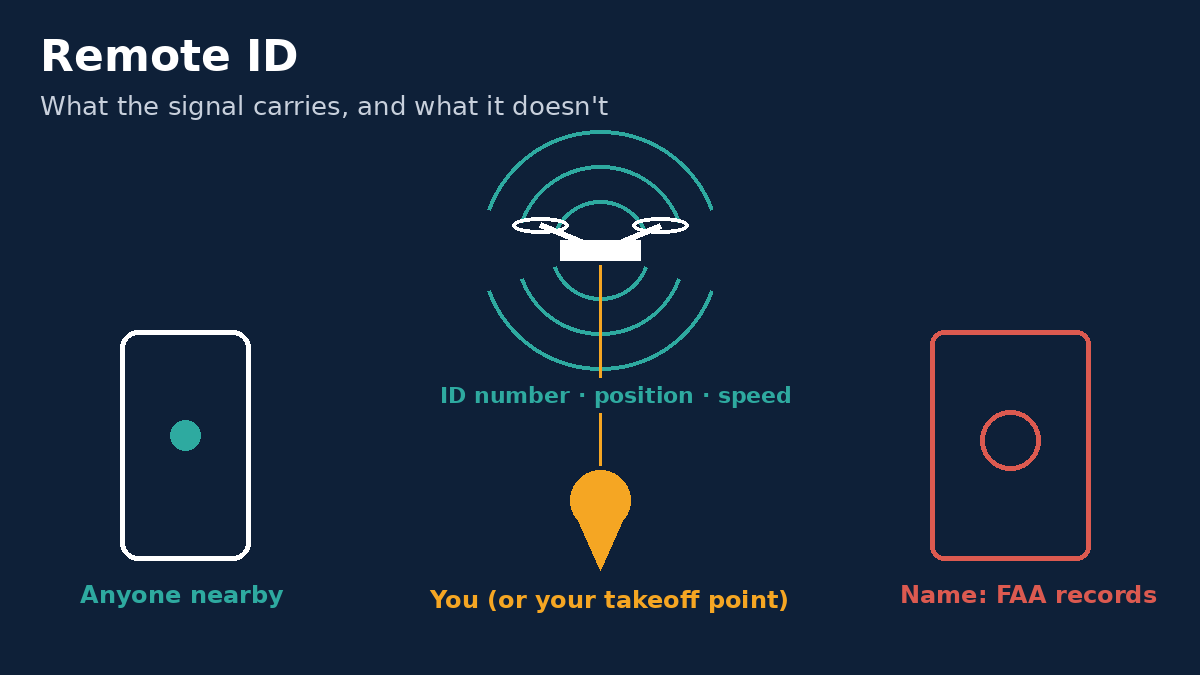
You're halfway through a roof inspection when a man walks out of the house next door holding his phone up. "I know exactly where you are," he says. He's right, more or less. He can see a dot for your drone and a dot for you. What he can't see is who you are.
That gap is the part of Remote ID (the FAA's rule that drones broadcast identification and location while flying) that pilots keep asking about. Here is what the rule actually says, taken from the regulation itself, Title 14 of the Code of Federal Regulations (CFR) Part 89, and the Federal Aviation Administration's (FAA's) own Remote ID pages.
What's in the broadcast
It depends on which kind of Remote ID you fly with.
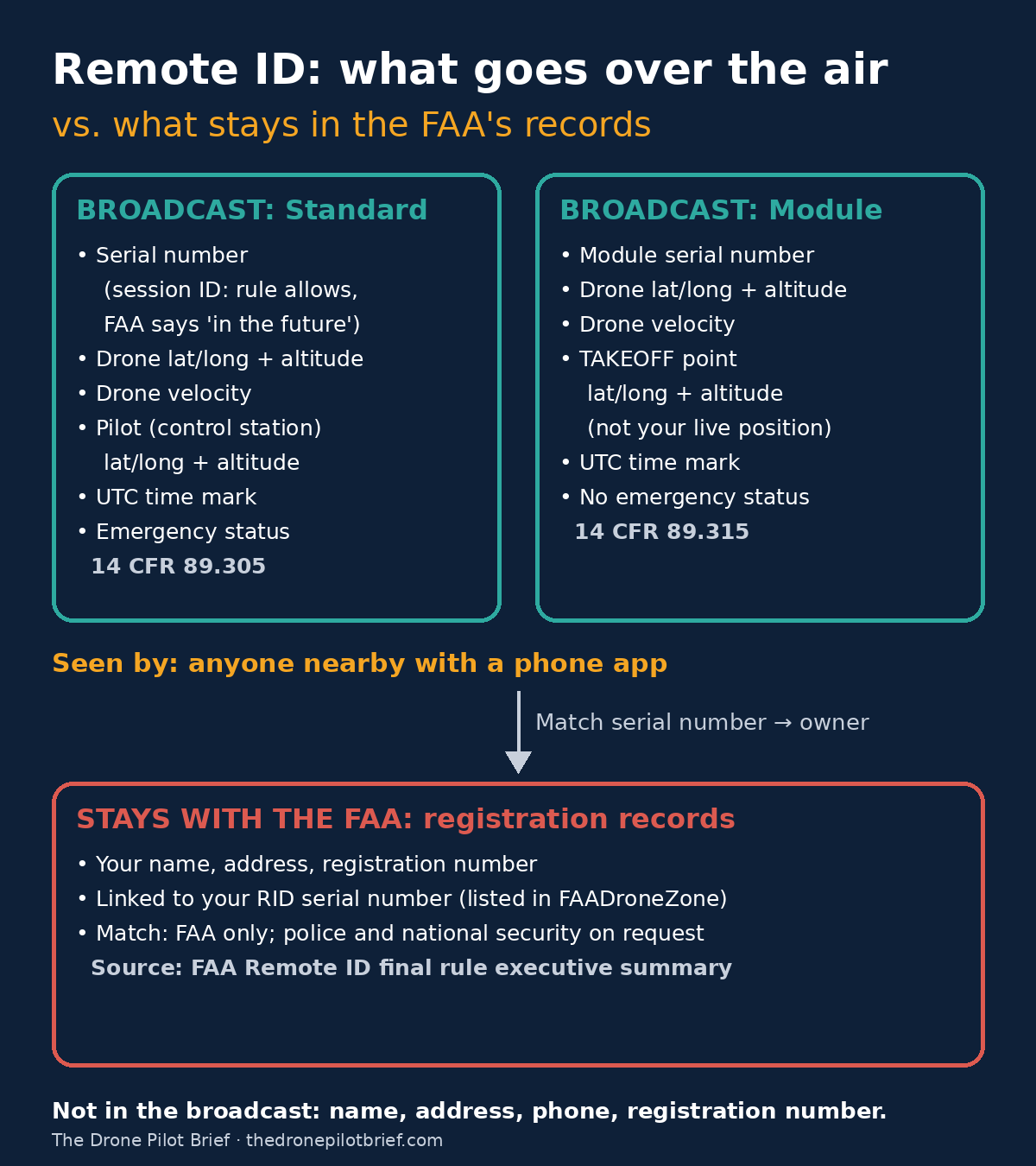
A Standard Remote ID drone (Remote ID built in at the factory) must be able to broadcast, under 14 CFR 89.305:
- The drone's identity: either the manufacturer's serial number or a session ID
- Latitude, longitude and altitude of the control station (that's you, the person on the sticks)
- Latitude, longitude and altitude of the drone
- The drone's velocity
- A time mark in Coordinated Universal Time (UTC)
- Emergency status
The rule requires the control-station position to match "the location of the person manipulating the flight controls" (89.310). So yes, it shows where you are.
A Remote ID broadcast module (an add-on that retrofits an older or homebuilt drone) broadcasts, under 14 CFR 89.315:
- The module's serial number
- Latitude, longitude, altitude and velocity of the drone
- Latitude, longitude and altitude of the takeoff location, not your live position
- A time mark in UTC
A module has no emergency-status field and no session-ID option.
What isn't in it
Nothing in either list is your name, address, phone number, or FAA registration number. The broadcast carries an equipment ID and positions.
About the session ID: the rule allows it, but the FAA's Remote ID page says operators of Standard Remote ID drones "may be able to choose" a session ID "in the future." For now, expect your serial number to be what goes out.
Who can see it
Anyone nearby. The FAA's rule summary says the message "will be available to most personal wireless devices within range of the broadcast." In practice that means free phone apps.
Who can link it to a person, and how
Seeing the serial number doesn't tell anyone who owns it. That link lives in the FAA's registration records, because you list your Standard Remote ID serial number, or your module's serial number, when you register in FAADroneZone.
The FAA's Remote ID executive summary says matching the serial number or session ID to the registration database "will be limited to the FAA and can be made available to authorized law enforcement and national security personnel upon request." So:
- The FAA can make the match.
- Police and national security agencies can get it by asking the FAA. They don't look it up themselves on the spot.
- The public, your neighbor included, has no route to the match through the Remote ID system.
The FAA also says Remote ID helps it and law enforcement "locate the control station when a drone appears to be flying in an unsafe manner or where it is not allowed to fly." In other words, the main thing anyone can act on in the field is your location, not your name.
Standard Remote ID vs broadcast module vs FRIA
| Standard Remote ID | Broadcast module | FRIA | |
|---|---|---|---|
| What it is | Built into the drone | Add-on attached to the drone | FAA-Recognized Identification Area, a fixed site such as a club field |
| ID broadcast | Serial number or session ID | Module serial number | None |
| Pilot location broadcast | Live control-station position | Takeoff point only | None |
| Emergency status | Yes | No | n/a |
| Flying limits | Normal rules for your operation | You must be able to see the drone the whole flight | No-Remote-ID drones must stay within visual line of sight and inside the FRIA |
Sources for the limits: the FAA Remote ID page and its FRIA page.
What not to assume
- "It's anonymous." It isn't. Your name isn't broadcast, but your position (or takeoff spot) is, and the FAA can match the serial number to your registration.
- "I'm using a session ID." Probably not; the FAA says that option is for the future.
- "A module hides where I stand." It broadcasts your takeoff point. If you launch from where you stand, that's the same thing.
- "Anyone can look me up by serial number." The rule limits the match to the FAA, with police access by request.
- "Moving my module is fine." Recreational flyers can move one module between drones listed in their inventory. Part 107 pilots register each device separately and get a separate registration number for each.
Your next mission
Before your next flight, check your Remote ID serial number. On a Standard Remote ID drone it may be on the drone, the controller, or a startup screen; on a module it's usually printed on the device. Make sure it matches what's listed in your FAADroneZone inventory. Then open a free Remote ID app on your phone, fly a short hover, and see for yourself what the person next door sees.
For how the FAA is enforcing Remote ID, see our Remote ID enforcement updates.
Sources: 14 CFR 89.305 · 14 CFR 89.315 · 14 CFR 89.320 · 14 CFR Part 89 · FAA: Remote ID · FAA: FRIAs · FAA Remote ID final rule executive summary (PDF)

Related Briefs
The FAA's border drone restriction runs from Monday, Oct. 19, 2026, through Oct. 19, 2027. Your LAANC approval doesn't get you in.
Three Federal Aviation Administration (FAA) Notices to Airmen (NOTAMs) prohibit drone flight from the surface to 400 feet above ground level (AGL), within 1 nautical mile inland of the U.S.–Mexico border. The restriction took effect Monday evening, Oct. 19. U.S. Customs and Border Protection (CBP) can approve only certain flights, with requests at least 48 hours ahead. Here's who it reaches, what the text says, and what to check before your next job....
Part 108 is still under White House review. Here's what a Part 107 crew can do now.
The FAA's long-awaited rule for flying drones beyond sight isn't law yet. These seven steps use rules you already fly under, and none of them depend on guessing the final text....
The Digital Tollbooth: Inside Proposed Part 146 and the Corporate Battle to Control Low-Altitude Airspace
While the drone industry watches Part 108, the real business model is quietly unfolding in proposed Part 146. Here is how Automated Data Service Providers will gate, monitor, and monetize low-altitude commercial flight....
Get The Preflight
The weekly operational-intelligence briefing for drone pilots. Filtered down to what actually matters before your next mission.